
Set the top of your monitor at or just below eye level, with the center of the screen about fifteen to twenty degrees below your horizontal sightline, and keep the display roughly an arm’s length away. Adjust text scaling to improve readability rather than moving the monitor closer, which can affect posture. This single change resolves most posture-driven monitor height neck pain within a week or two of consistent use. If discomfort persists after careful adjustment, that’s a signal to get a clinical assessment rather than keep tweaking gear.
TL;DR:
- Correct monitor height involves positioning the top at or just below eye level with the center 15 to 20 degrees below horizontal to reduce muscle strain.
- Small, gradual adjustments to monitor height and distance improve comfort and prevent neck pain more effectively than large, sudden changes.
- Dual monitors should be arranged with the primary centered and secondary within 35 degrees to minimize neck rotation and avoid uneven repositioning.
- Persistent neck pain after ergonomic changes may require a professional assessment for underlying mobility or spinal issues that ergonomic fixes cannot resolve.
Table of Contents
- What Is the Best Monitor Height for Neck Pain?
- How Do You Measure and Adjust Monitor Height?
- How Does Monitor Size Change the Right Distance?
- How Should You Position Dual Monitors or an Ultrawide Screen?
- Does Monitor Height Actually Fix Neck Pain?
- When Should You See a Professional for Neck Pain?
- A Clinic’s View on Desk Setups and Neck Pain
- Persistent Neck Pain Even After Fixing Your Setup?
- Sources
- FAQ
What Is the Best Monitor Height for Neck Pain?
The goal is a slight downward gaze, not a straight-ahead stare and not a chin-down slump. OSHA’s workstation guidance recommends the top of the screen sit at or slightly below eye level, with the center of your main content roughly 15 to 20 degrees below horizontal. That range mimics how your eyes naturally rest when you’re not forcing them anywhere, which is why it reduces strain on the muscles at the base of your skull.
Here’s the logic: your neck spends most of its day in one of two failure modes. Either it’s tilted back to look up at a monitor mounted too high, or it’s craned forward and down toward a laptop screen sitting on a desk with no riser. Both positions load the same muscle group, the upper trapezius and suboccipital muscles, for hours at a stretch.
A quick setup checklist:
- Head balanced directly over your shoulders, not pushed forward toward the screen
- Top edge of the display positioned at or just below eye level in a neutral sitting posture
- Screen center angled about fifteen to twenty degrees below your eye line
- Chair height set so your elbows sit near 90 degrees before you touch the monitor at all
- Keyboard and monitor centered on the same axis as your body, not off to one side
Too high, and you extend your neck backward, which OSHA links directly to fatigue and discomfort. Too low, and you round your shoulders forward into the posture people call “tech neck.” Neither is dramatically worse than the other in isolation. Both cause problems if you hold them for eight hours a day.
Pro Tip: Sit in your normal working posture, close your eyes for three seconds, then open them. Wherever your eyes land naturally is close to where your screen center should be. It’s a faster gut check than any tape measure.
How Do You Measure and Adjust Monitor Height?
You don’t need special tools for this, just a tape measure, a sticky note, and a few days of patience.
- Sit in your usual chair with good posture, feet flat, and let your eyes rest forward without straining.
- Have someone mark the height of your eyes on a wall or doorframe, or measure from your seat to eye level with a tape measure.
- Adjust your monitor (via its stand, a monitor arm, or a stack of books as a temporary riser) so the top edge lines up at or slightly below that mark.
- Angle the screen back slightly so the center sits in that 15 to 20 degree zone below your eye line.
- Work for two to three days without touching the setup again, and jot a quick note each evening on a scale of 1 to 5 for neck comfort.
- Move the monitor in small increments, half an inch at a time, if discomfort persists, and repeat the comfort check.
Small, incremental changes matter more than getting it perfect on day one. Jumping the monitor four inches in one sitting makes it hard to tell which adjustment actually helped.
If you work from a laptop, the built in screen sits too low for almost everyone. A laptop stand paired with an external keyboard and mouse lets you raise the screen to eye level without cramping your hands into an awkward typing angle. Non-adjustable monitor stands are trickier. A stack of sturdy books, a dedicated monitor riser, or a wall-mounted arm all solve the same problem at different price points.
How Does Monitor Size Change the Right Distance?
Screen size and resolution change how far you should sit, and distance interacts directly with height. Sit too close to a large display and you end up scanning side to side or tilting your head to read text in the corners, which drags your neck into rotation it doesn’t need.
Starting points that work for most desks:
- 24 to 27 inch monitors: typically positioned about half a meter to seventy centimeters from your eyes
- 32 inch and larger monitors: typically positioned about seventy to one hundred centimeters from the eyes, adjusted for resolution
- Higher resolution displays let you sit farther back since text stays sharp even at distance
- If text looks too small at the correct distance, raise your operating system’s scaling percentage instead of leaning in
Moving closer to read small text defeats the whole purpose of getting height right, since it usually drags your head forward and down. A monitor buying guide covering screen size and format is worth a look if you’re shopping for a new display and want size and ergonomics to line up from the start.
How Should You Position Dual Monitors or an Ultrawide Screen?
Multi-monitor setups fail people in one specific way: they force repeated neck rotation toward a side screen used constantly throughout the day.
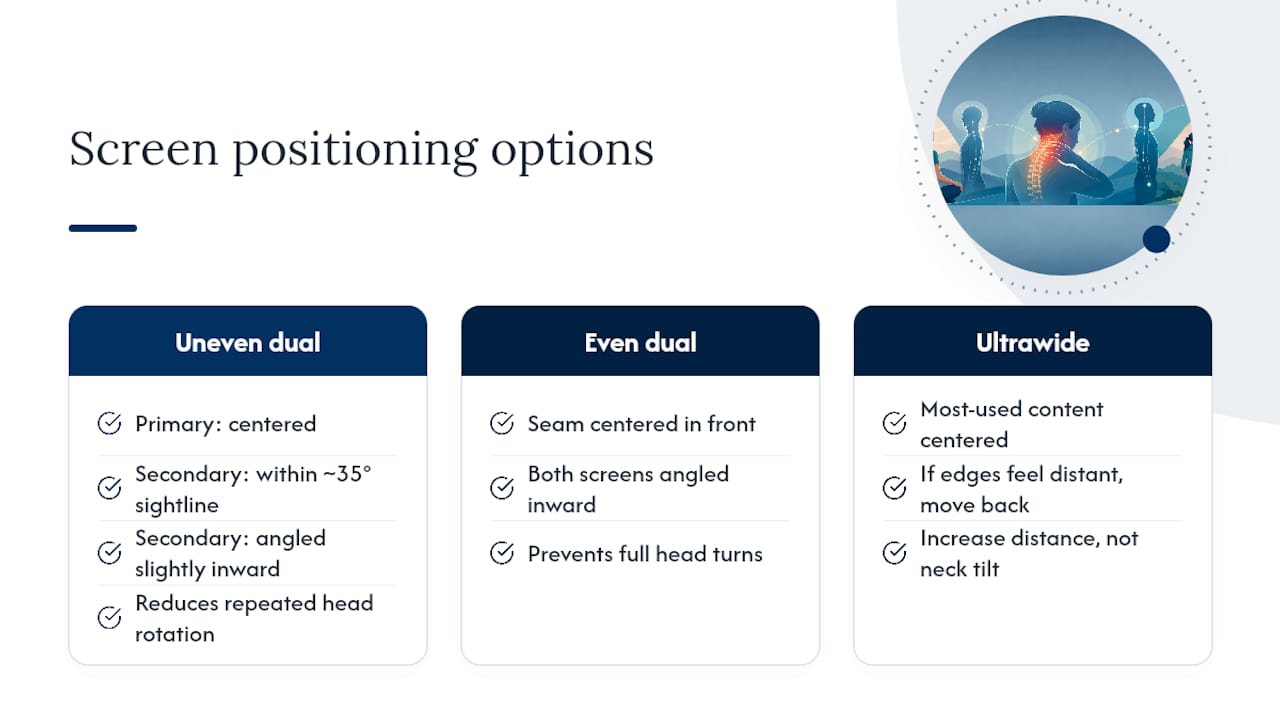
For two monitors used unevenly, center the one you look at most, and place the secondary screen within about 35 degrees of your primary sightline, angled slightly inward. For two monitors used equally, put the seam between them directly in front of your body, and angle both screens inward so neither forces a full head turn. An ultrawide display should have its most-used content centered directly in front of you. If the curve or width makes edges feel far away, increasing your seated distance solves it faster than tilting your neck to compensate.
Does Monitor Height Actually Fix Neck Pain?
The research here is more nuanced than most setup guides let on. A 2009 EMG study measuring upper trapezius activity found no statistically significant difference in muscle activity across high, medium, and low monitor positions, even though participants reported feeling more comfortable at higher settings. Comfort and measurable muscle strain don’t always move together.
Perceived comfort can improve at a given monitor height even when the underlying muscle activity recorded by EMG doesn’t shift in any measurable way. That gap between how you feel and what your muscles are doing is exactly why personalized fine-tuning beats a one-size-fits-all number.
An older biomechanics study from 1997 added another wrinkle: Lowering the monitor increased head flexion relative to the neck, raising questions about the traditional “top at eye level” guideline’s evidence base. There’s no single perfect height that works identically for every neck, spine curve, and work task. Equipment adjustments also tend to work better paired with regular movement and posture breaks than as a standalone fix.
When Should You See a Professional for Neck Pain?
Ergonomic fixes handle a large share of desk-related neck pain, but not all of it. Certain symptoms mean it’s time to stop adjusting your desk and get an assessment instead.
- Numbness or tingling running down your arm or into your fingers
- Noticeable weakness in your hand or grip
- Pain that’s sharp, sudden, or getting worse week over week rather than improving
- Neck pain that doesn’t ease up even after two to three weeks of careful ergonomic changes
A chiropractor typically assesses forward head posture, checks range of motion in the neck and upper back, and tests for any nerve involvement before recommending a plan. That plan might include hands-on treatment, targeted mobility exercises, or a structured posture correction approach depending on what the assessment turns up.
A Clinic’s View on Desk Setups and Neck Pain
A chiropractor sees a consistent pattern: patients who adjust their monitor height and rebuild posture habits around it improve fast, often within days. But a smaller group has pain that doesn’t budge because the real issue is restricted mobility or spinal alignment that a chair adjustment can’t touch. The evidence-informed view here is straightforward. Try the ergonomic fixes first, give them a real trial period, and if pain sticks around, get a proper assessment rather than buying another gadget.
— Aman
Persistent Neck Pain Even After Fixing Your Setup?
If you’ve raised your monitor, pulled your chair in, and given it two honest weeks with no real change, the problem probably isn’t sitting on your desk anymore. A chiropractic clinic assesses forward head posture, spinal alignment, and mobility restrictions that ergonomic tweaks alone can’t reach, then builds a plan around what your body actually needs rather than a generic stretch sheet.

The clinic’s approach to long-term pain relief starts with a posture and mobility assessment, not a blanket prescription, so the plan fits your specific desk habits and spinal history. If your neck pain has outlasted every chair and monitor arm you’ve tried, book an assessment and find out what’s actually driving it.
Sources
Recommendations here draw on OSHA’s Computer Workstations guidance on monitor placement, the 2009 EMG study on comfort versus muscle activity, and an earlier biomechanics study on head and neck posture. Practical distance and scaling advice comes from a monitor arm height guide, cross-checked against clinical experience at Everton Chiropractic.
This article is general information, not a substitute for advice from a qualified doctor. Consult a qualified healthcare professional about your own circumstances before acting on anything here.
- Effects of computer monitor setting on muscular activity, user comfort and acceptability in office work
- eTools : Computer Workstations – Workstation Components – Monitors | Occupational Safety and Health Administration
- The influence of computer monitor height on head and neck posture
FAQ
What Is the Best Monitor Height for Neck Pain?
Top of the screen at or slightly below eye level, with the center about 15 to 20 degrees below your horizontal sightline, following OSHA’s ergonomic recommendations.
Can Looking at a Computer Monitor Cause Neck Pain?
Yes. Holding your neck extended back or flexed forward for hours to see a poorly placed screen strains the same muscles repeatedly, which leads to fatigue, tightness, and eventually pain.
Is It Worse to Have a Monitor Too High or Too Low?
Both cause problems in different ways. A monitor set too high forces neck extension and fatigue, while one set too low drags your head forward into rounded shoulders and forward flexion.
Does Tech Neck Ever Go Away?
For many people, yes, once they correct monitor height, posture habits, and add movement breaks throughout the day. If pain persists despite consistent ergonomic changes, a clinical assessment can identify whether a mobility restriction or spinal issue is driving it.