
Workday spinal care best practices are defined as the combination of structured movement breaks, ergonomic workplace setup, targeted strengthening exercises, and recovery habits that protect spinal discs, reduce cumulative load, and prevent chronic back pain in desk-bound workers. This is the clinical standard recognized by occupational health specialists, including practitioners like Dr. Richard at Evertonchiropractic, who treat the downstream consequences of poor spinal habits daily. The research is clear: no single tool or posture fix solves the problem. Lasting spinal health at work requires a system, not a shortcut.
1. Workday spinal care best practices start with movement breaks
The single most impactful change you can make is not buying a new chair. It is getting out of the one you have every 30 to 45 minutes. Movement breaks every 30 to 45 minutes are the current standard recommended by ergonomic guidelines, and the mechanism behind this is straightforward. Spinal discs have no direct blood supply. They depend on the compression and decompression cycle of movement to absorb nutrients and expel waste. Static sitting cuts off that exchange.
Brief micro-breaks of 30 seconds to 2 minutes are enough to reset spinal tissue load and reduce strain accumulation. This means standing up, walking to a colleague’s desk instead of messaging them, or doing five standing lumbar extensions by the window. The activity does not need to be intense. It needs to be frequent.
Here is a practical system for building this habit into your workday:
- Set a recurring timer on your phone or use apps like Stretchly or Time Out to trigger a break alert every 35 minutes.
- Stand and walk during phone calls instead of sitting through them.
- Place your printer, water bottle, or charging cable at the far end of the room to force movement.
- Use the Pomodoro Technique (25 minutes of focused work, 5-minute break) and make the break physical.
- Do five standing back extensions at your desk before sitting back down.
Pro Tip: Set your movement reminder to coincide with a natural workflow pause, like the end of a document or email, so the break feels like a reward rather than an interruption.
2. Ergonomic setup that actually protects your spine
Ergonomics is not about buying the most expensive chair. It is about configuring your workstation so your spine maintains its natural curves without muscular effort. Proper ergonomic setup includes lumbar support positioned at the hollow of your lower back, your monitor at or slightly below eye level, and your elbows at approximately 90 degrees. Each of these adjustments distributes spinal load more evenly and reduces the strain that accumulates over an eight-hour day.
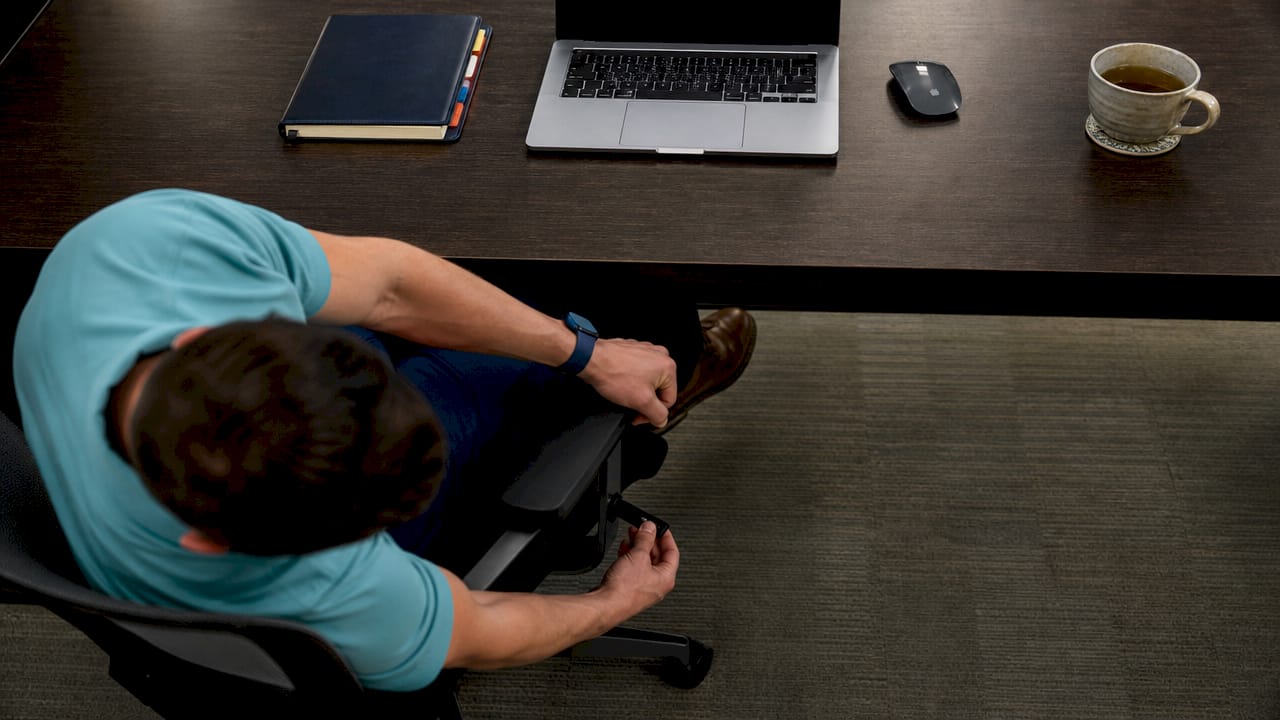
The most common mistake office workers make is adjusting one element and ignoring the rest. A perfectly positioned chair means nothing if your monitor is too high and pulling your neck into extension, or too low and collapsing your thoracic spine into a C-curve.
Key ergonomic adjustments to make today:
- Chair height: Your feet should rest flat on the floor with your knees at or slightly below hip level. Use a footrest if your chair cannot go low enough.
- Lumbar support: Position it at the curve of your lower back, not at your mid-back. If your chair lacks adjustable lumbar support, a rolled towel works.
- Monitor distance and height: The top of your screen should sit at or just below eye level, roughly an arm’s length away.
- Keyboard and mouse: Keep them close enough that your shoulders stay relaxed and your elbows stay near your body.
- Desk height: Your forearms should be roughly parallel to the floor when typing.
| Setup element | Common mistake | Correct position |
|---|---|---|
| Chair lumbar support | Placed at mid-back | Positioned at lower back hollow |
| Monitor height | Too low, causing neck flexion | Top of screen at eye level |
| Keyboard placement | Too far forward, rounding shoulders | Close to body, elbows at 90 degrees |
| Foot position | Dangling or crossed | Flat on floor or footrest |
Pro Tip: Take a photo of your workstation from the side. If your ear is in front of your shoulder in the image, your forward head posture is already loading your cervical spine with extra force.
3. Core stabilization exercises that reduce spinal load
Strengthening the muscles that support your spine is one of the most evidence-backed spinal health tips available. Low-load core stabilization exercises performed 2 to 3 times weekly can reduce daily spinal disc load by up to 30%. That is a significant reduction achievable without a gym membership or long workout sessions.
The exercises that matter most for desk workers are planks, bird-dogs, and glute bridges. Planks train the deep stabilizers of the lumbar spine without loading the discs under compression. Bird-dogs challenge spinal stability through alternating limb extension. Glute bridges activate the posterior chain, which is chronically underused in people who sit for most of the day.
Effective exercises for desk workers:
- Plank: Hold for 20 to 30 seconds, 3 sets. Focus on a neutral spine, not duration.
- Bird-dog: From hands and knees, extend opposite arm and leg. Hold 5 seconds per side, 10 repetitions.
- Glute bridge: Lie on your back, feet flat, push hips toward the ceiling. Hold 2 seconds at the top, 15 repetitions.
- Cat-cow: Perform at your desk or on the floor. 10 slow cycles to mobilize the thoracic and lumbar spine.
- Seated lumbar extension: Sit upright, place hands on lower back, gently extend backward over your hands. Repeat 10 times.
The McKenzie Method’s directional preference approach identifies which direction of movement reduces your specific pain, typically lumbar extension for desk workers whose spines are loaded in flexion all day. Generic stretching without this assessment can sometimes worsen symptoms rather than relieve them.
Pro Tip: If you notice that standing up and arching your back gently makes your lower back feel better, that is a sign your spine responds well to extension. Do 10 standing extensions every time you take a movement break.
4. How to use your workstation layout to prevent back pain
Your physical workspace layout either works for your spine or against it. Most office workers treat layout as fixed, but small changes in how you arrange your desk can reduce the number of times per hour you twist, reach, or hold awkward positions. Twisting and reaching repeatedly across a workstation creates cumulative spinal strain that adds up over weeks and months.
Place your most-used items within arm’s reach without twisting. Your phone, notepad, and secondary monitor should all sit within a zone that requires no spinal rotation to access. If you use dual monitors, center them directly in front of you or angle them symmetrically so your head stays neutral. Avoid placing one monitor far to the side, which forces sustained neck rotation throughout the day.
Laptop users face a specific challenge. A laptop on a flat desk forces you to look down, which loads the cervical spine with up to four times its normal weight. Use a laptop stand to raise the screen to eye level and pair it with an external keyboard and mouse. This single change addresses both neck flexion and shoulder rounding simultaneously.
5. The role of recovery and sleep in spinal resilience
Spinal health is not built only during work hours. The repair work happens when you are off the clock. Medium-firm mattresses and correctly sized pillows reduce morning back stiffness by about 50%, which means your sleep surface directly influences how your spine feels when you sit down at your desk the next morning.
Sleep quality is a vital yet often overlooked factor in spinal health, influencing tissue repair and pain modulation. When sleep is poor, pain sensitivity increases, and the muscles that support your spine do not recover fully. This creates a cycle where discomfort disrupts sleep, and poor sleep amplifies discomfort.
Recovery habits that support spinal health:
- Sleep surface: Use a medium-firm mattress. Side sleepers should place a pillow between their knees to keep the pelvis level.
- Pillow height: Your pillow should keep your head aligned with your spine, not propped up or dropped down.
- Hydration: Spinal discs are approximately 80% water. Consistent hydration throughout the day maintains disc height and shock absorption.
- Stress management: Chronic stress increases muscle tension, particularly in the upper trapezius and lower back. Practices like diaphragmatic breathing or short walks after work reduce this load.
“Spinal resilience is largely determined by the 23 hours outside gym sessions.” This insight from spinal health research reframes how office workers should think about their spine. The gym hour matters, but the other 23 hours matter more.
Varied low-level loading outside gym workouts builds spinal resilience and reduces back injury risk. Activities like carrying groceries evenly in both hands, taking stairs, or doing short overhead hangs from a bar all contribute to spinal load tolerance without requiring dedicated workout time.
6. Debunking myths about posture and spinal care at work
The most persistent myth in office spinal care is that there is one correct posture you should hold all day. There is not. Static posture, even in ergonomic chairs, leads to muscle fatigue because spinal discs rely on motion for nutrient exchange. Holding any position for too long, including a “perfect” one, causes tissue fatigue.
The second most common myth is that a standing desk solves the problem. Using a standing desk without regular movement breaks is insufficient. Standing still for long periods does not reduce spinal strain as effectively as movement does. The goal is alternating between positions and moving frequently, not replacing one static posture with another.
Common myths and what to do instead:
- Myth: Sit up straight all day. Reality: Vary your posture. Recline slightly, shift your weight, and change positions every 20 to 30 minutes.
- Myth: A standing desk fixes back pain. Reality: Alternate sitting and standing, and keep moving regardless of which position you are in.
- Myth: Expensive chairs prevent back pain. Reality: No chair compensates for lack of movement. A good chair supports you while you move, not instead of moving.
- Myth: Stretching always helps. Reality: Generic stretching without knowing your directional preference can aggravate certain spinal conditions. Get assessed if pain persists.
Building sustainable habits matters more than any single intervention. Use timers, walking meetings, and active breaks consistently. Small actions repeated daily produce results that no ergonomic purchase can match. For office posture improvement, consistency beats intensity every time.
Pro Tip: If a chair, exercise, or stretch makes your pain worse, stop immediately. Pain that worsens with a specific movement is a signal to seek professional assessment, not push through.
Key takeaways
Effective workday spinal care requires consistent movement, a correctly configured workstation, targeted strengthening, and quality recovery, not any single product or posture fix.
| Point | Details |
|---|---|
| Movement breaks are non-negotiable | Stand or walk every 30 to 45 minutes to maintain disc nutrition and reduce strain. |
| Ergonomics requires full setup | Lumbar support, monitor height, and keyboard placement must all be configured together. |
| Core exercises reduce disc load | Planks, bird-dogs, and glute bridges performed 2 to 3 times weekly cut spinal load by up to 30%. |
| Recovery happens off the clock | A medium-firm mattress and consistent hydration directly support spinal tissue repair. |
| Movement variety beats perfect posture | No single posture is correct all day. Varied positions and frequent motion protect the spine. |
What I have learned from watching office workers ignore their spines
After working with desk workers for years, the pattern I see most often is this: people know what they should do and still do not do it. They have read about movement breaks. They have seen the ergonomic guides. They sit still for six hours anyway, then wonder why their lower back locks up on the commute home.
The gap is not knowledge. It is behavior design. The office workers who actually improve their spinal health are the ones who make the right choice the easy choice. They put a timer on their phone. They move their water bottle across the room. They do five back extensions before they sit back down, every single time, until it becomes automatic.
I also see too many people waiting for pain to become severe before seeking help. Discomfort that shows up at 3 p.m. every day is your spine telling you something is accumulating. That is the right time to get assessed, not after six months of worsening symptoms. The best ways to correct posture are always more effective when applied early, before compensation patterns become entrenched.
The spine does not ask for much. It asks for movement, decent support at night, and occasional professional attention when something feels off. Give it those three things consistently, and it will carry you well.
— Aman
How Evertonchiropractic supports your spinal health at work
If your back or neck discomfort has moved beyond what workstation adjustments and movement breaks can address, Evertonchiropractic offers evidence-informed chiropractic care designed specifically for the patterns that desk work creates. Led by Dr. Richard, the clinic builds personalized treatment plans around your lifestyle, work setup, and long-term movement goals, not just your current symptoms.
Office workers dealing with persistent neck tension or headaches can explore neck pain chiropractic care tailored to posture-related causes. If you are weighing your treatment options, the clinic’s comparison of chiropractic vs. physiotherapy for back pain helps you make an informed decision. Evertonchiropractic’s approach goes beyond pain relief. It builds the spinal resilience you need to stay active and comfortable through a full workday, and well beyond it.
FAQ
How often should I take movement breaks at work?
Take a movement break every 30 to 45 minutes. Even 30 seconds of standing or walking resets spinal tissue load and reduces cumulative disc strain.
Does a standing desk prevent back pain?
A standing desk alone does not prevent back pain. Alternating between sitting and standing while moving frequently is what reduces spinal strain, not standing still as a substitute for sitting.
What exercises help most with desk-related back pain?
Planks, bird-dogs, and glute bridges are the most effective low-load exercises for desk workers, reducing spinal disc load by up to 30% when performed 2 to 3 times weekly.
Can my mattress affect my back pain at work?
Yes. A medium-firm mattress reduces morning back stiffness by approximately 50%, which directly influences how your spine tolerates a full day of sitting.
When should I see a chiropractor for work-related back pain?
See a chiropractor when discomfort appears consistently at the same time each day, when pain radiates into your legs or arms, or when movement breaks and ergonomic adjustments no longer provide relief.